Applications AR Traditional Dance
Augmented Reality application design project, this application is to help children learn science, especially for arts and culture lessons
Focuses on learning media assistance regarding the introduction of dance culture and the attributes used in each region, information that provides interaction between children and teachers, which is focused on elementary school users or adults who want to teach children.
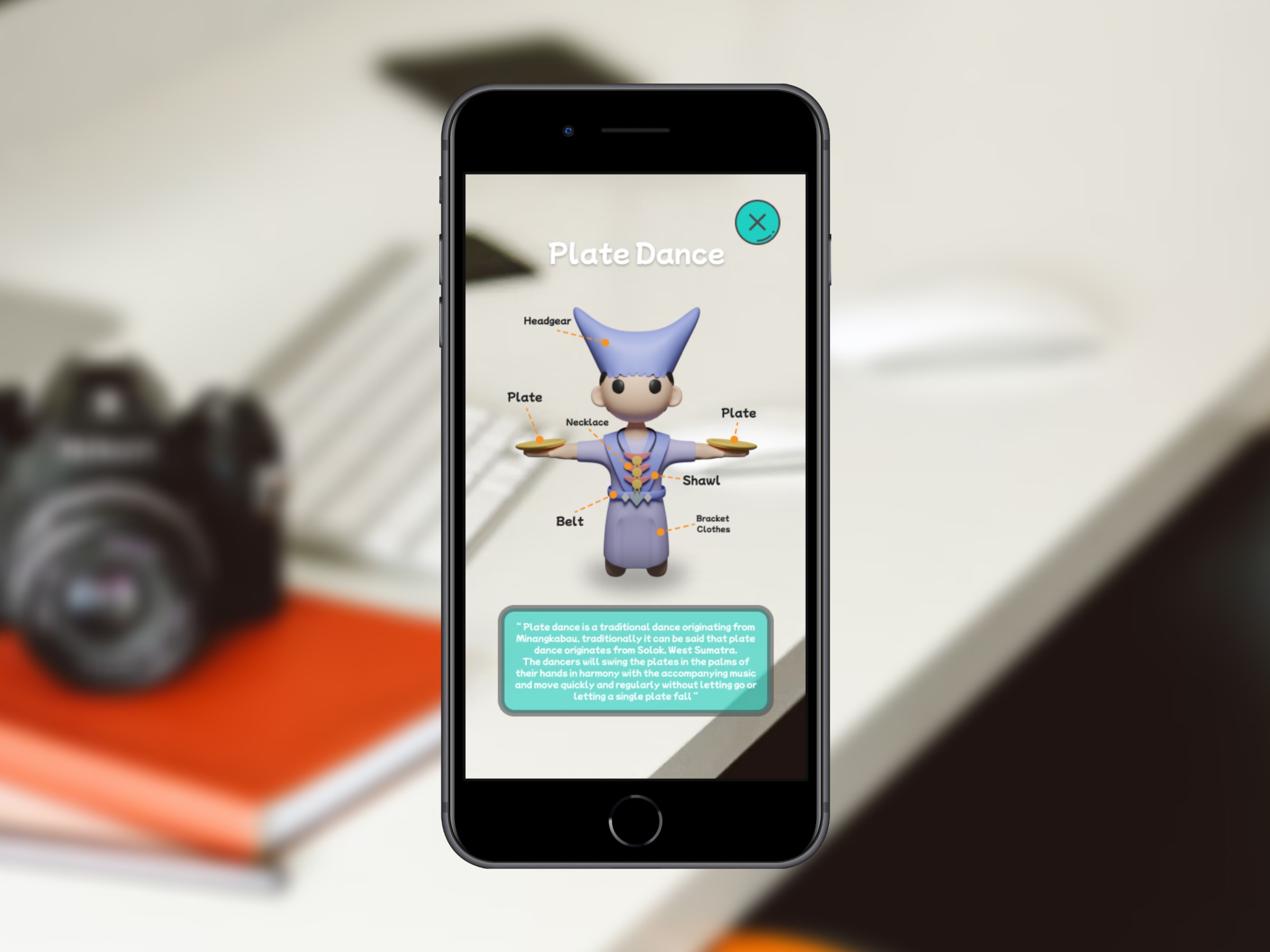
Challenge
Making this application must be as attractive as possible so that children can easily understand and are interested in using the application. My job in making this AR is to create a design that is needed by a developer and to make it easy for the application developer
Results
The result of designing this application is that children easily understand the knowledge conveyed by a teacher and feedback occurs
Process
Role : Graphic Design and Ui/Ux Designer
Research & Analysis: In this research, I started looking for designs that are relevant to children and what applications they often use.
Information Architecture: After collecting the data, I started to group designs, fonts and colors on the moodboard
Wireframing : the next stage I started making low-fidelity and sketches for UI design, 3D characters, buttons and supporting designs
Usability Testing: This stage is the messiest, sometimes it has to be redesigned so that the design suits the developer
Visual Design & Style Guide: Very exciting, to document the results of the designs created. because so everyone can understand the reason why this design must exist. documenting everything from colors, fonts, 3D characters, and buttons
Starting from brandstorming for user interface design needs and other supporting designs, what will be needed and what will not be needed. because the design of this augmented reality application is quite complex.
Start sketching each character and its details, so that I knew each design, especially the details of the character that would be created. Of course I made 6 different types of character designs from various Indonesian provinces.



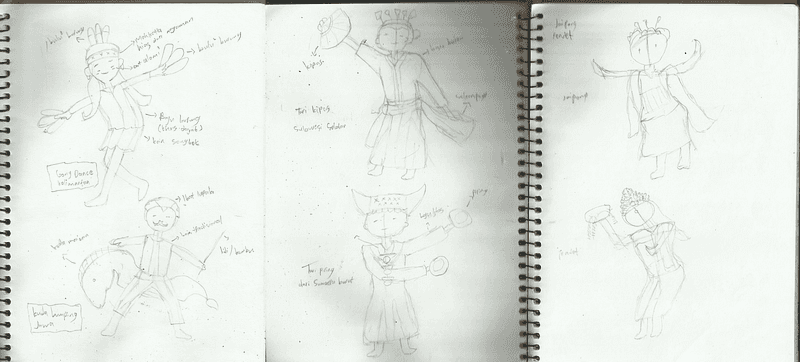
Ok, the sketch has been made and it’s finished.
After that, I started making mindmaps to make it easier for me to work on UI design later. In fact, you could go straight to the wireframe or low-fidelity stage. However, I still choose to make this mindmap so that I know where each process goes
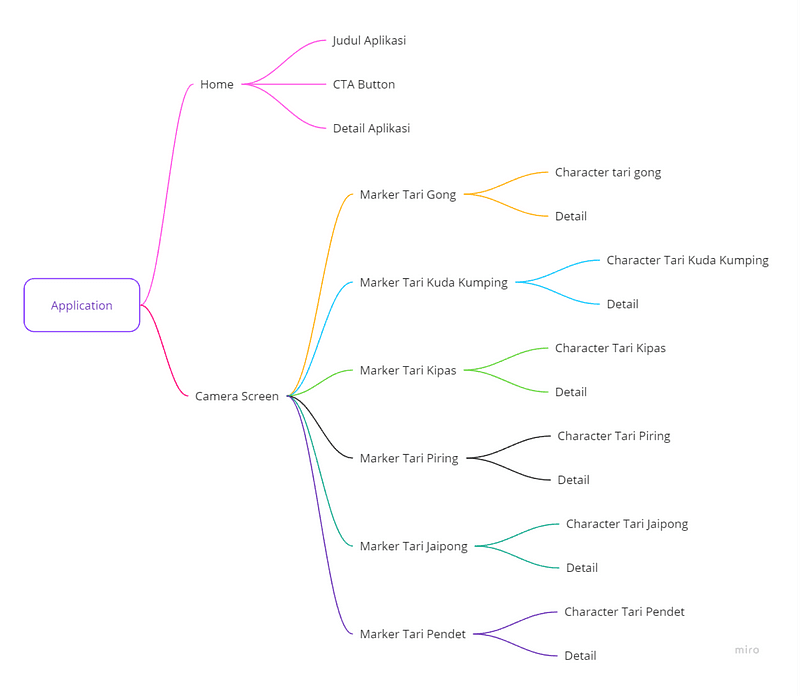
You can see the contents and screens that will be created. Not too many screens are needed, so here there are 2 screens needed, a home screen and a marker screen.
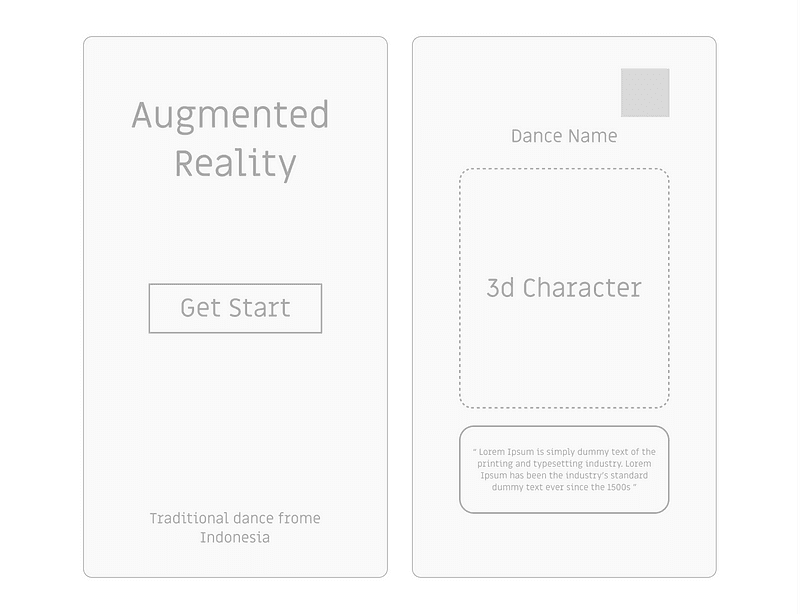
Creating wireframes or low-fidelity is also quite challenging for me because I have to be able to include complex content to make it more interesting.
The next stage I started designing a scane marker measuring 1:1 or 1080x1080 px, I didn’t include too many design components for this marker, because I would add a character design in this empty area so that it was easily detected and this marker design aims to scan each character object
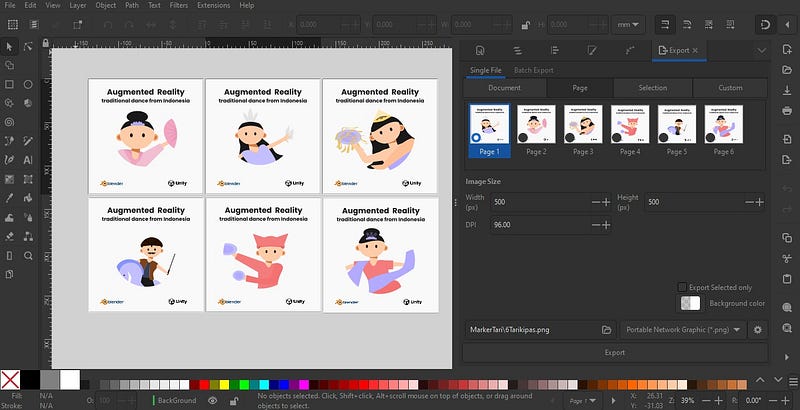
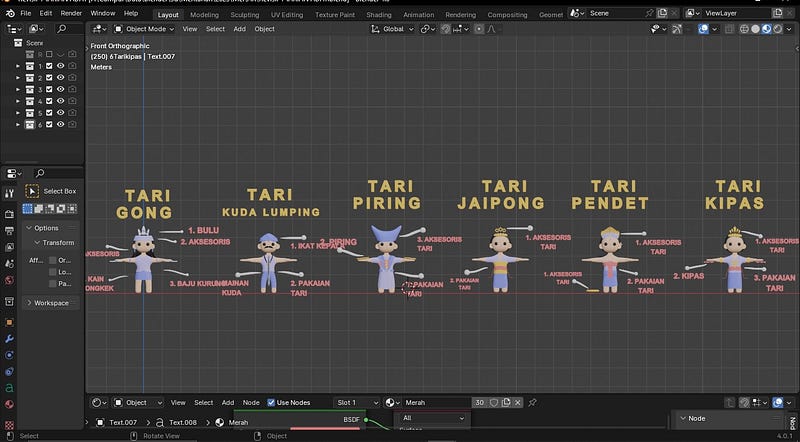
OK, the marker design is complete, then I design illustrations for each marker. I made 6 character illustration designs according to the sketch :
Illustration of the Gong Dance character design from Kalimantan
Illustration of the character design of Kuda Kumping from Java
Illustration character design for the Fan Dance from Sulawesi Tuesdayn
Illustration character design the Plate Dance from West Sumatra
Illustration of the Jaipong Dance character design from West Java
Illustration character design for the Pendet Dance from Bali
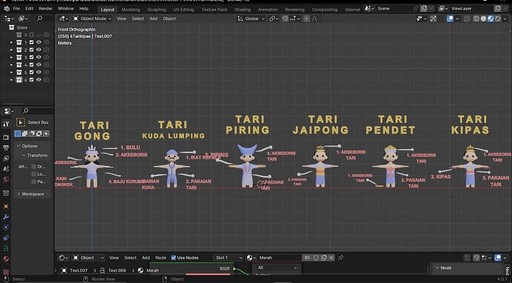
Illustration and marker designs have been completed, then I made several 3D character designs along with the details for each character design created.
Finished
Graphic Design
Create several designs such as:
1. Create 6 traditional 2D illustration designs,
2. Create 6 3d object character designs
3. create marker designs with 6 designs that are 1:1 in size
UI/UX Design
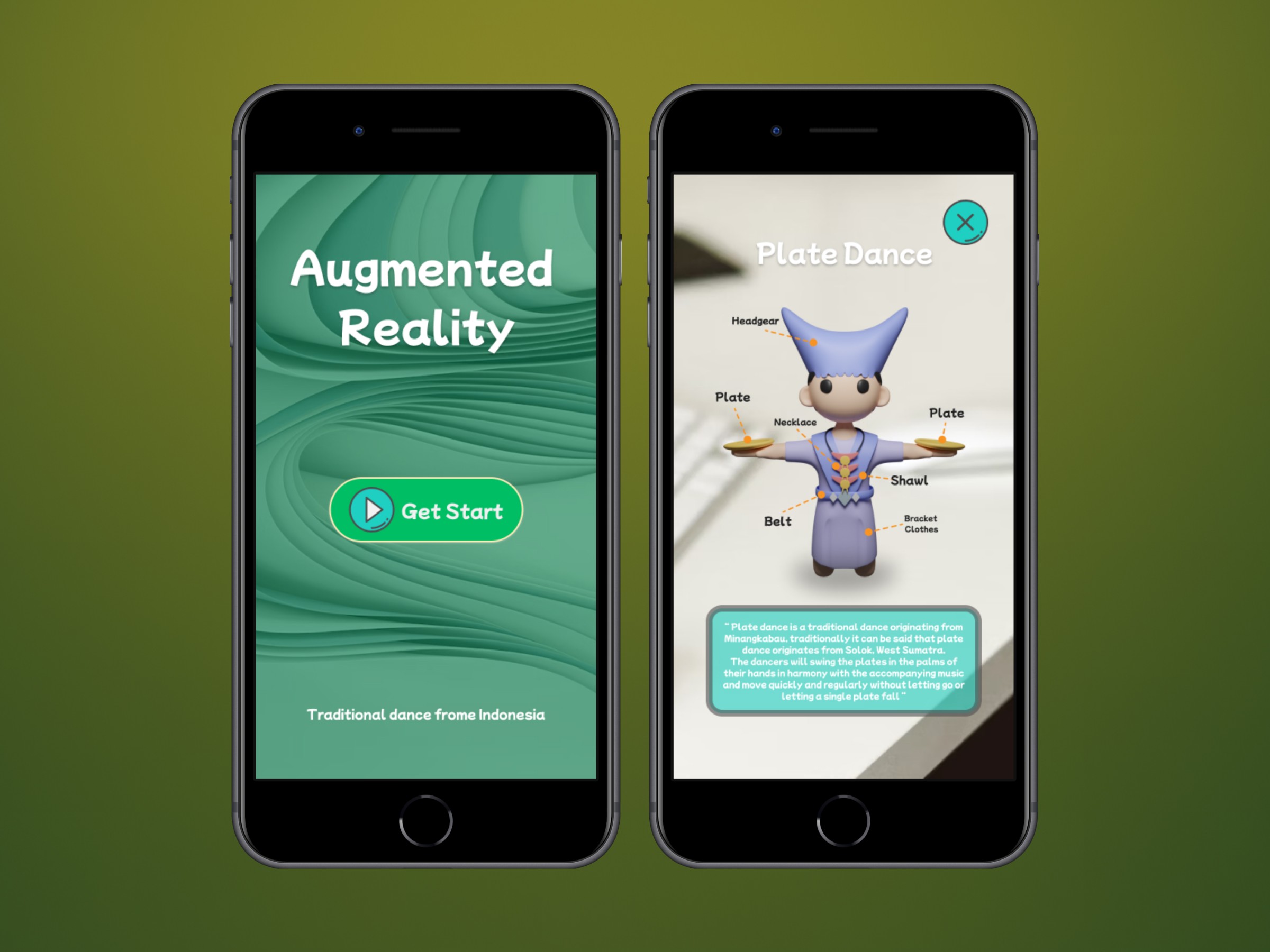
succeeded in making 2 mobile screens including:
1. home screen which is aimed at the next screen.
2. This AR screen can display objects scanned according to the marker design
Conclusion
I am very happy with the launch of this application design, several people have been helped by the presence of the UI design that children expect
See in this video
Demo of the released application