Payment Mobile Application
With a user-centric approach, the goal is to create an intuitive interface for easy financial management while incorporating infographics
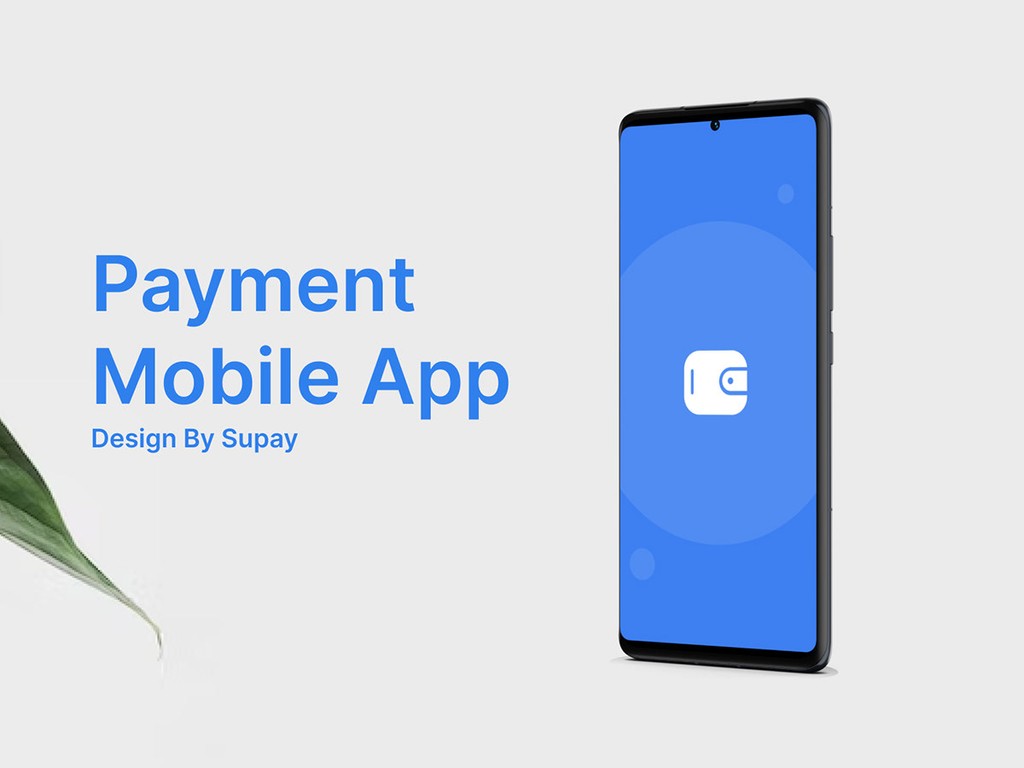
This project case application is to implement the UX UI design skills I learned in the course. There are several things that I apply from the preparation process to implementation. This application is about an online payment feature that will make it easier to pay without having to come to a physical store
Challenge
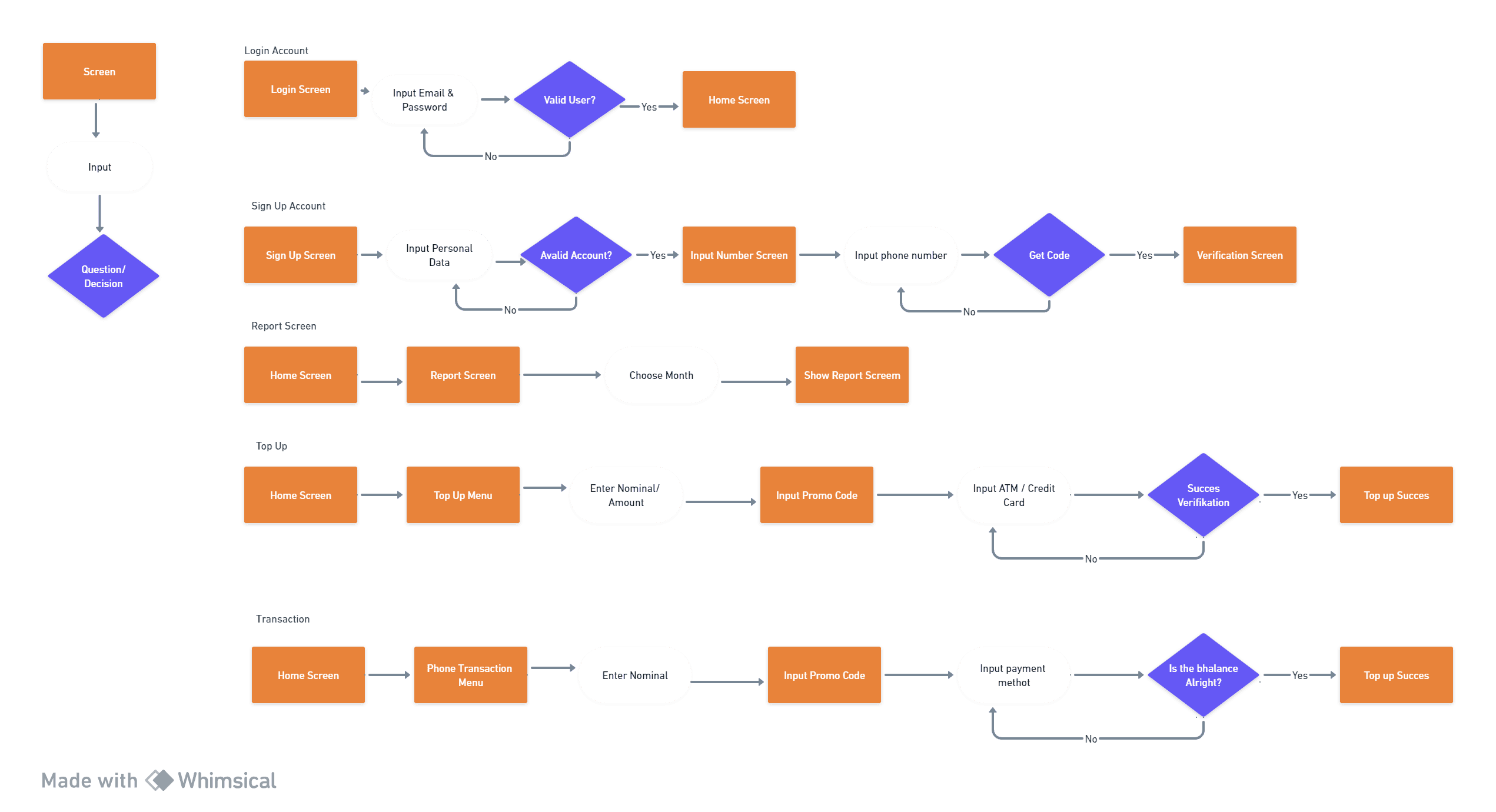
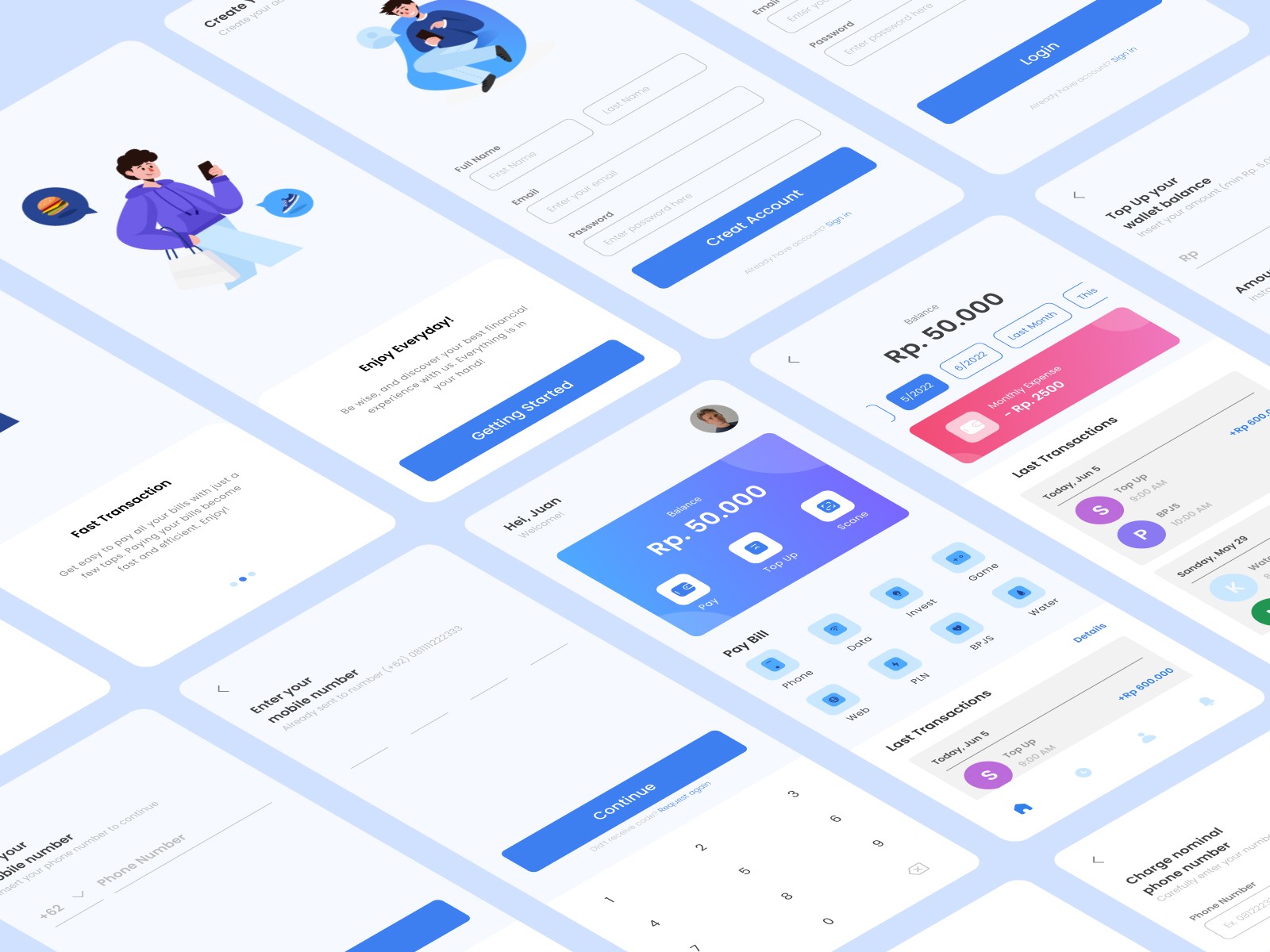
The main purpose of this application is to facilitate the payment of bills or daily needs. The screen will show how to top up, how to pay for transactions in 2 ways, namely choosing from the menu or barcode.
Results
what we produced from this case There are several designs that must be displayed and are the main priority features of this application. such as payment using a QR code
Process
Role: Ux/Ui Designer
Scope: Research, analysis, wireframe and final design
Research & Analysis: I conduct user surveys, and analyze of course we also study competitor applications to understand user problems and needs and industry trends to gather valid information and data.
Information Architecture: Based on research findings, we restructured the QR code feature and some application content, to prioritize features and information according to user needs.
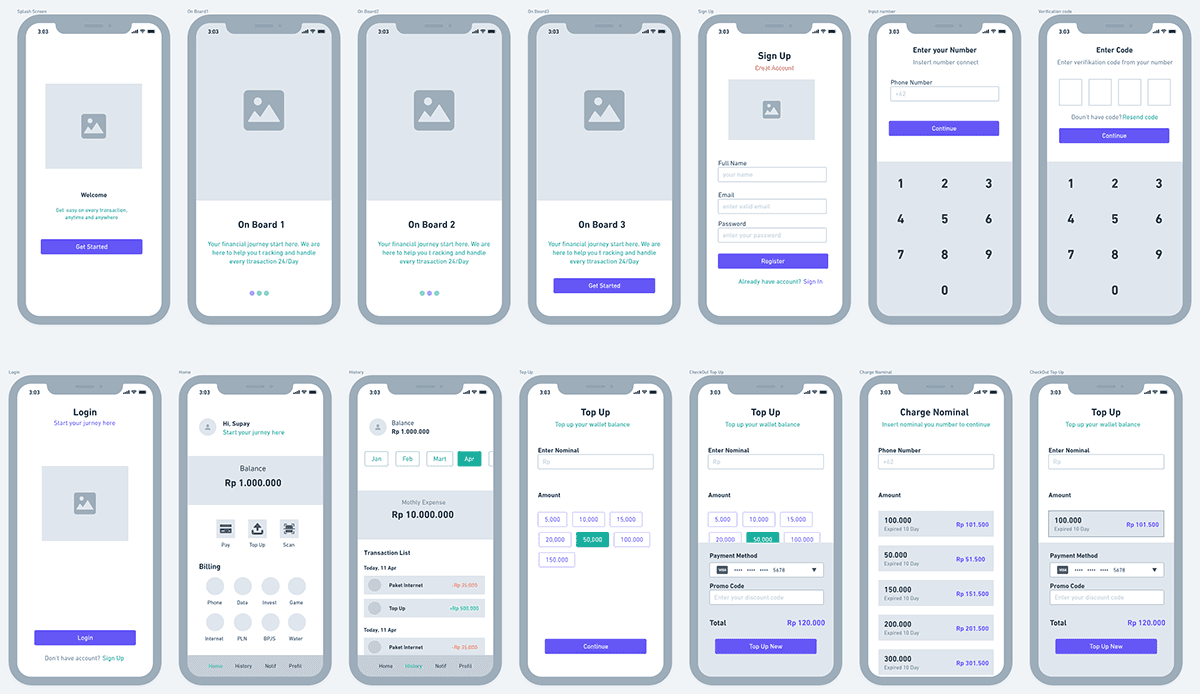
Wireframing & Prototyping: I started designing low-fidelity wireframes to visualize the layout and required features, then iteratively refined them based on user feedback. After that, we created a high-fidelity interactive prototype to test the design..
Visual Design & Style Guide: I also developed a cohesive visual language, including color scheme, typography, and iconography, to ensure its consistency across the app. I also created a style guide to keep the design consistent within the app to make future updates easy.



Finished
The main goal of this application is to meet user needs, such as making it easier to pay bills or daily needs. On the screen you will see how to top up, how to pay for transactions in 2 ways, namely choosing from the menu or barcode.
Some of the screens displayed and the main priority features of this application have met user expectations.
Of course, users can see what transactions have been made
Users can pay transactions in 2 ways (choose from menu/scan barcode)
Users can top up their ATM balance
And there's a lot more I'm working on regarding this solution
Conclusion
I learned a lot to implement this first project from the process stage to completion. This design is a solution that users need to be able to buy or top up using the features that users need